
Messages & reminders
Automatic messages keep patients informed from booking to visit day — fewer no-shows, and reception can focus on patients instead of the phone.
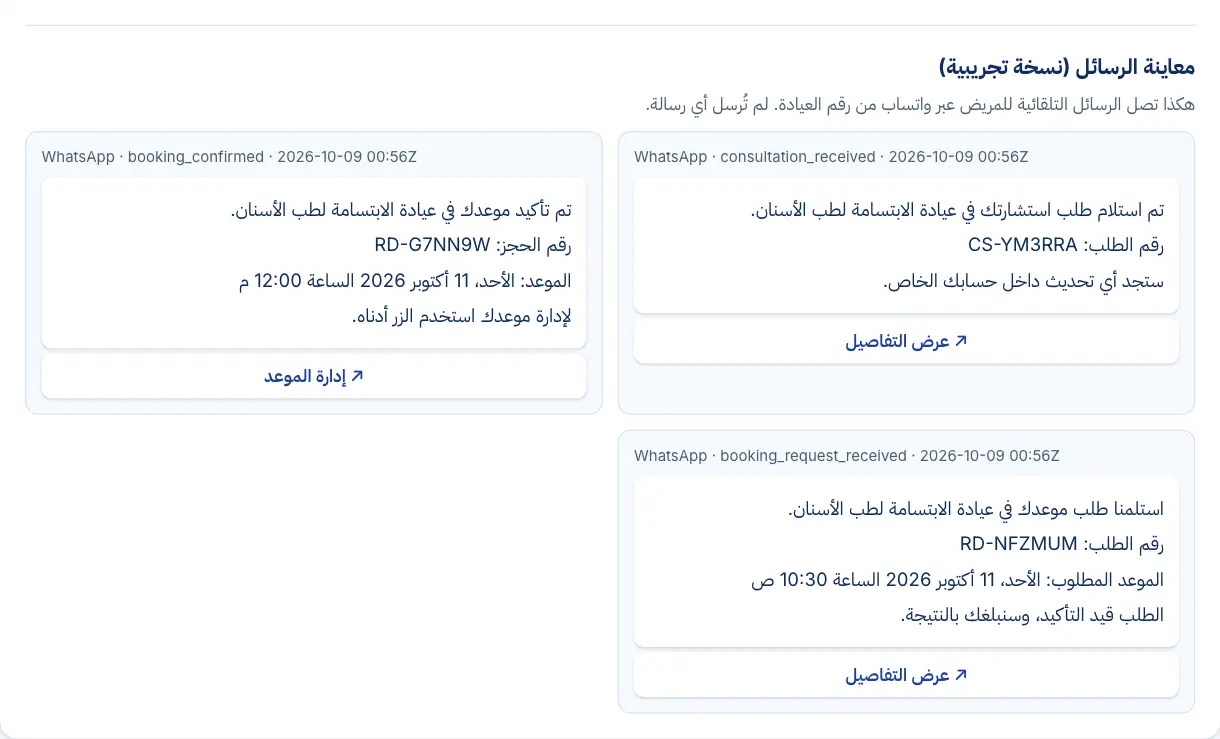
Real interface, sample data
What you get
Request received
A message as soon as a booking request is sent.
Confirmed or declined
Patients hear the clinic's decision straight away.
Visit reminder
Before the visit, at the time you set — for example 24 hours.
Changes and cancellations
A notice when a visit is rescheduled, cancelled or a request expires.
Verification codes
To confirm the patient's number and sign them in.
Consultation notice
A short message when your reply is ready — with no health details.
From the clinic's WhatsApp number
Through Meta's official WhatsApp Business Platform on your clinic's own number, with delivery status for every message. SMS is an optional add-on.
Honest status
If a message isn't sent, that's shown clearly — never reported as delivered.
See it in action
Real screens from the platform, taken from the demo clinic — the names and numbers in them are sample data.
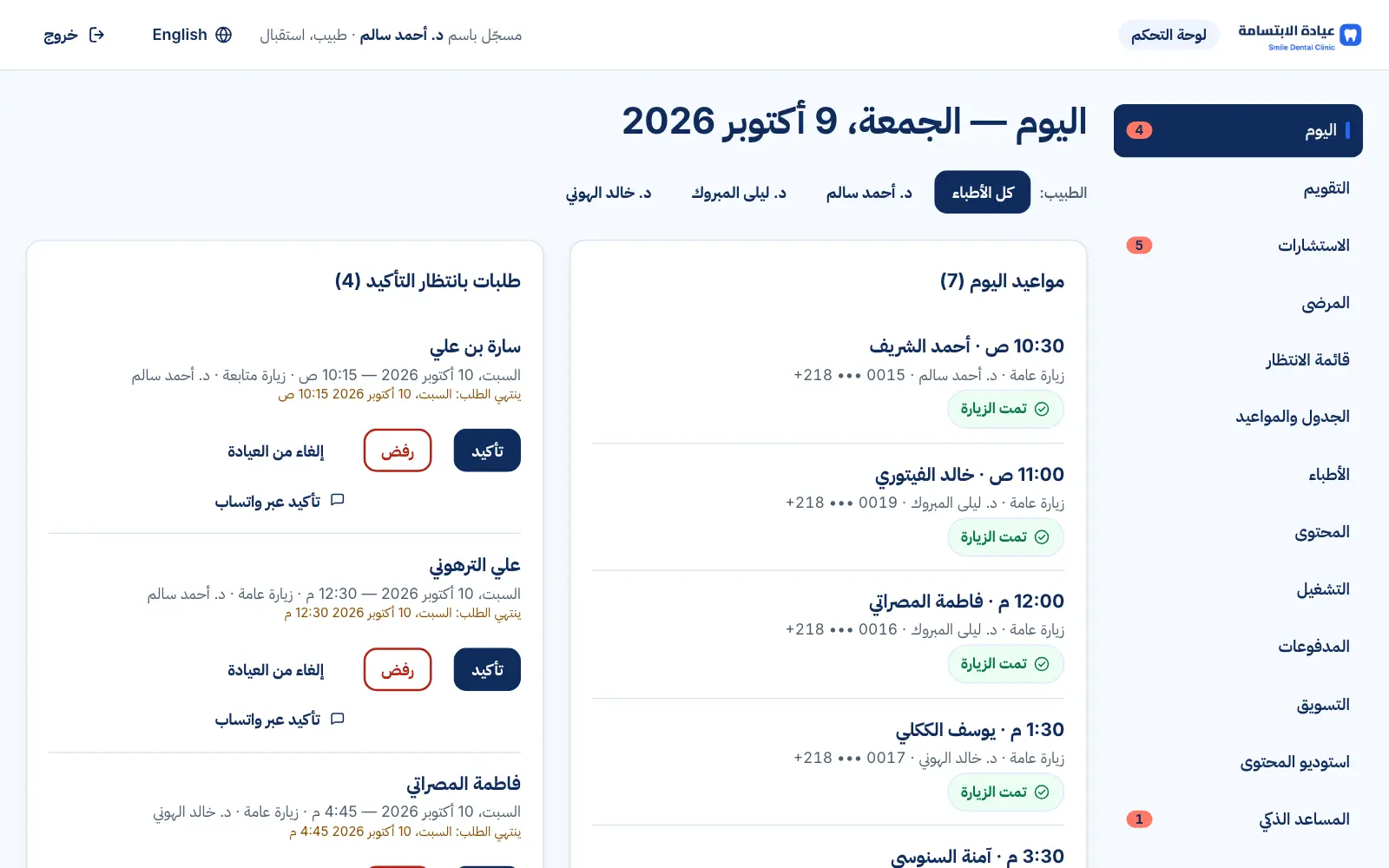
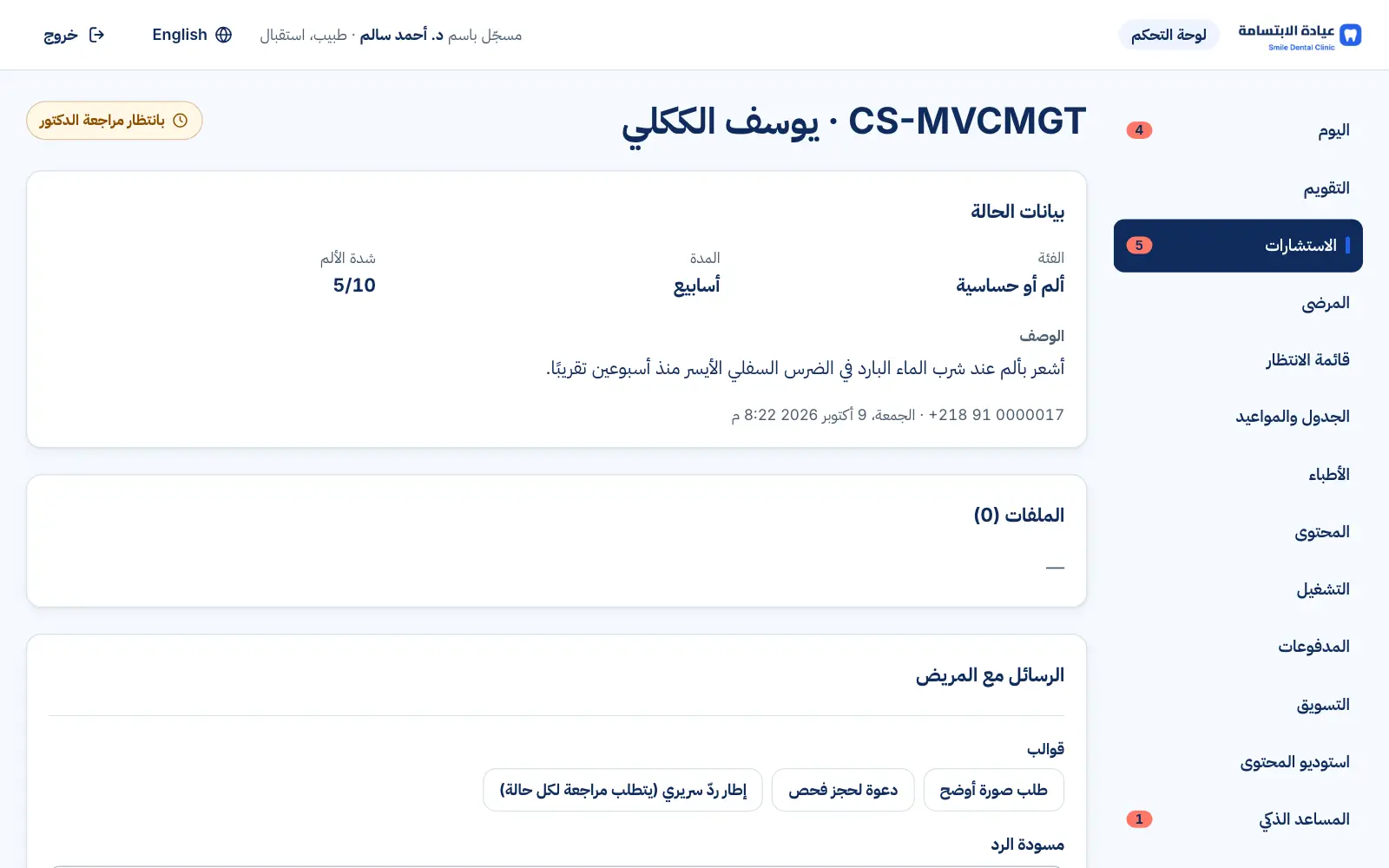
Real interface, sample data
How it works
- 1
Something happens (booking, confirmation, reminder…)
- 2
The matching message is sent
- 3
You follow delivery status in the dashboard
FAQs
Do messages contain medical information?
No — messages never include health details; clinical replies stay in the patient's private account.
Do messages cost extra?
Automatic messages are included in Premium up to a monthly allowance; extra messages and an SMS pack are optional add-ons. Activation needs the clinic's WhatsApp number connected to a WhatsApp Business account — we set it up with you.
Which language are messages in?
Arabic or English, matching the patient's language; we finalise the wording with you before launch.
Want to see this in your practice?
Book a demo and we'll walk you through it step by step.
Book a demo