
Offers & campaigns
Launch an offer like “a free checkup for new patients” with clear terms and dates — it appears on the site only while it runs, and disappears automatically when it ends. Each offer has its own booking page, and the dashboard shows how many people viewed it and booked through it.
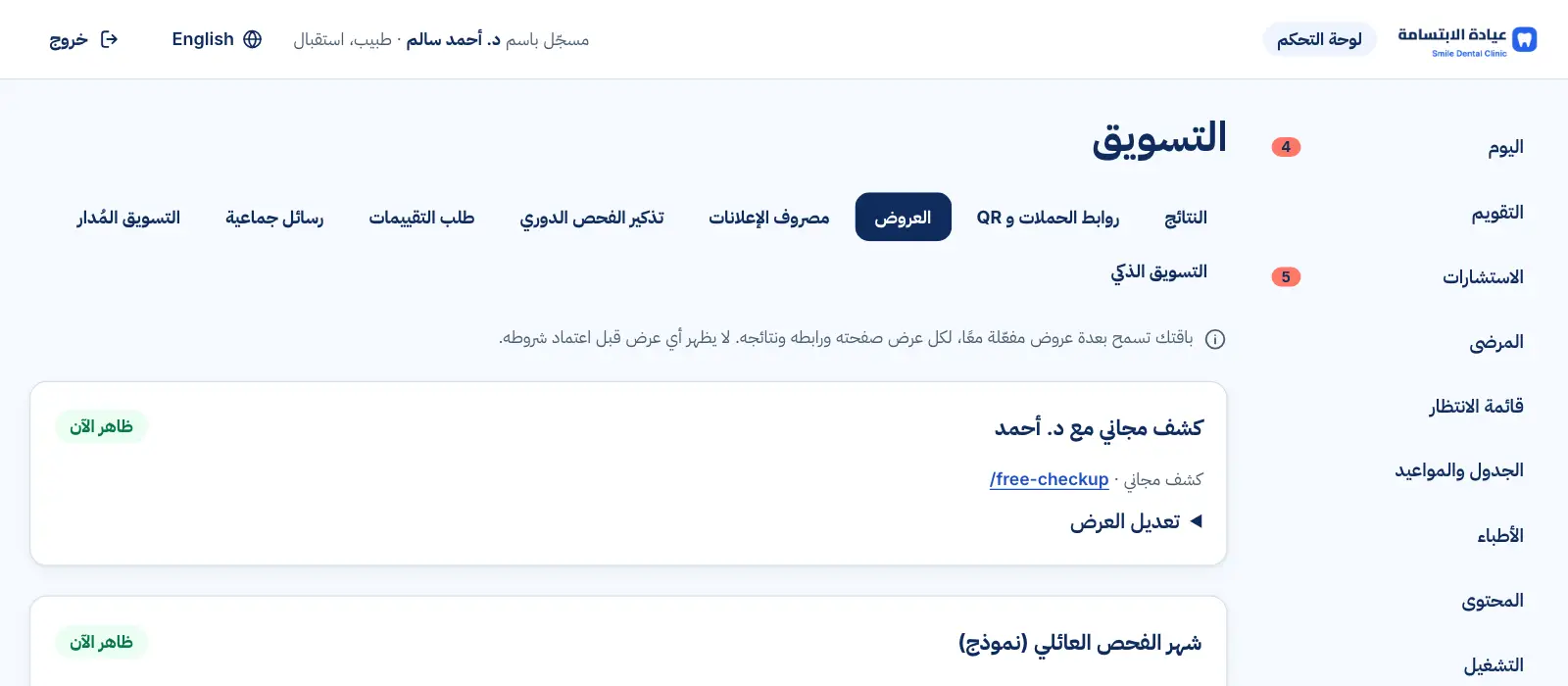
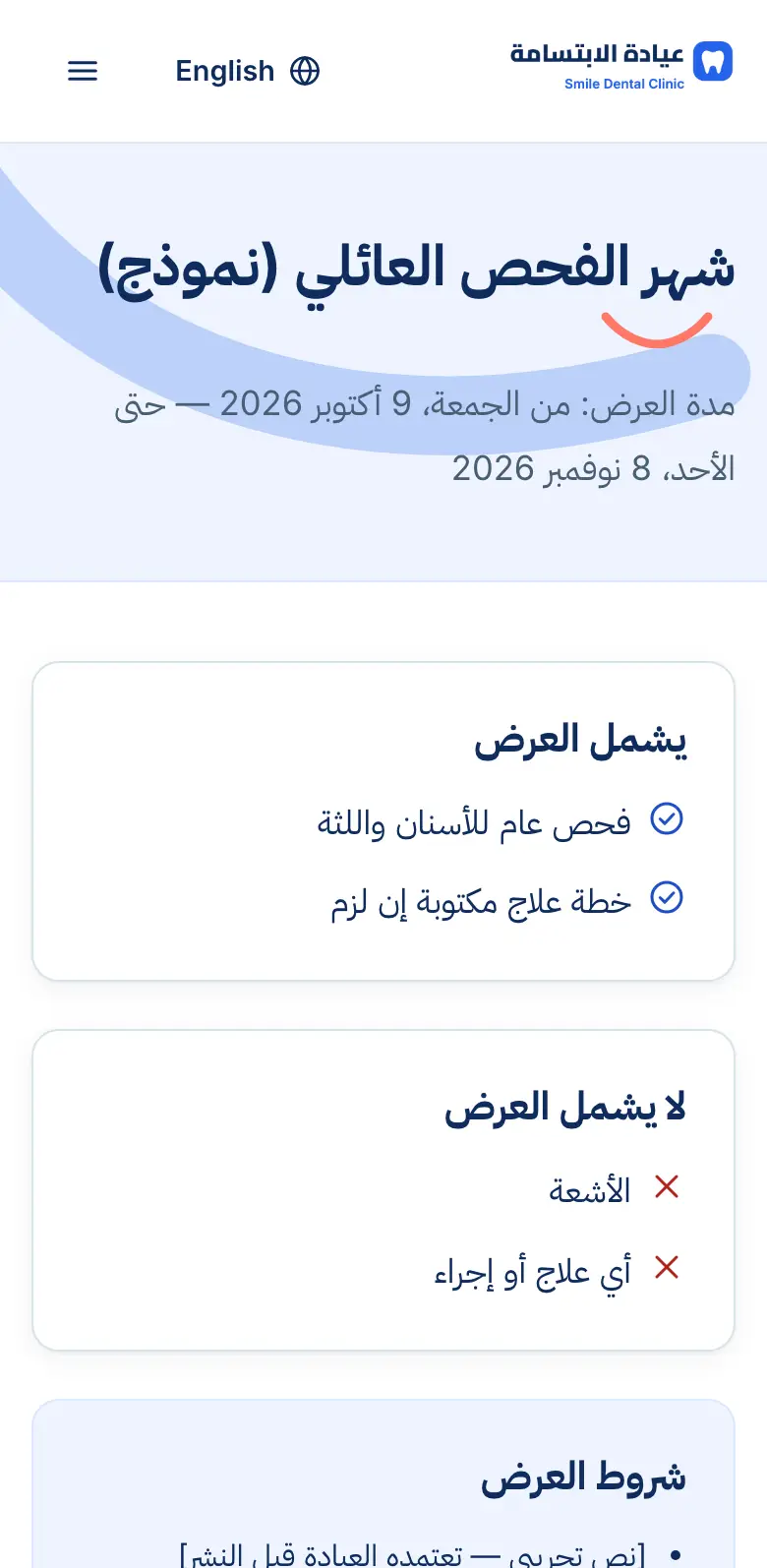
Real interface, sample data
What you get
Start and end dates
The offer only runs during its dates.
Daily places for the free checkup
Set how many free checkups a day, and one per patient.
What's included — and not
Clear wording that prevents misunderstandings, e.g. X-rays not included.
Approved terms
The offer can't go live until its terms are approved.
A page and booking for each offer
A dedicated page with its own booking form, ready to link from ads or a QR code.
Results per offer
Page views, booking requests, confirmed and completed visits for each offer.
Ends by itself
When it ends or is switched off, every mention disappears from the site.
See it in action
Real screens from the platform, taken from the demo clinic — the names and numbers in them are sample data.
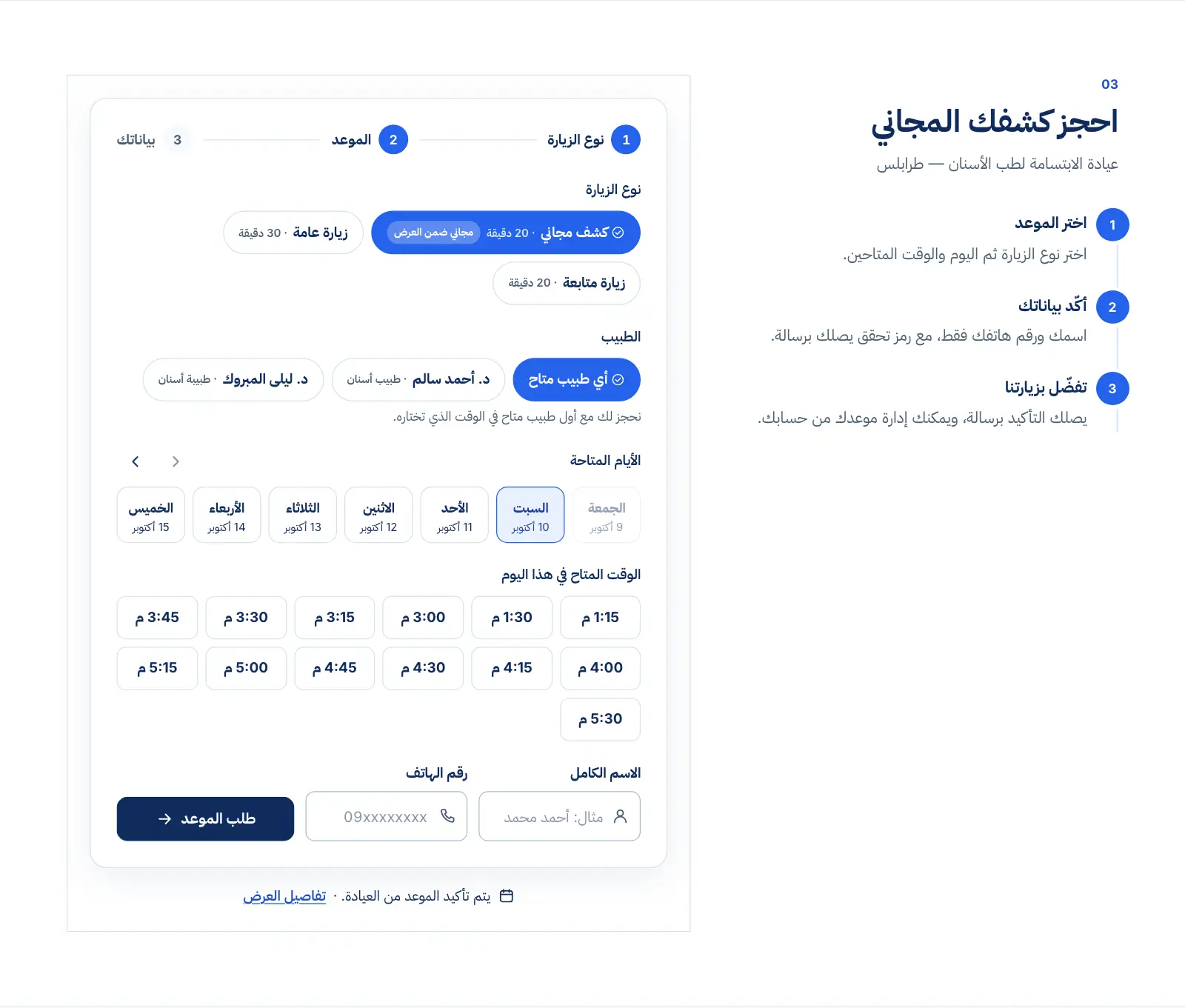
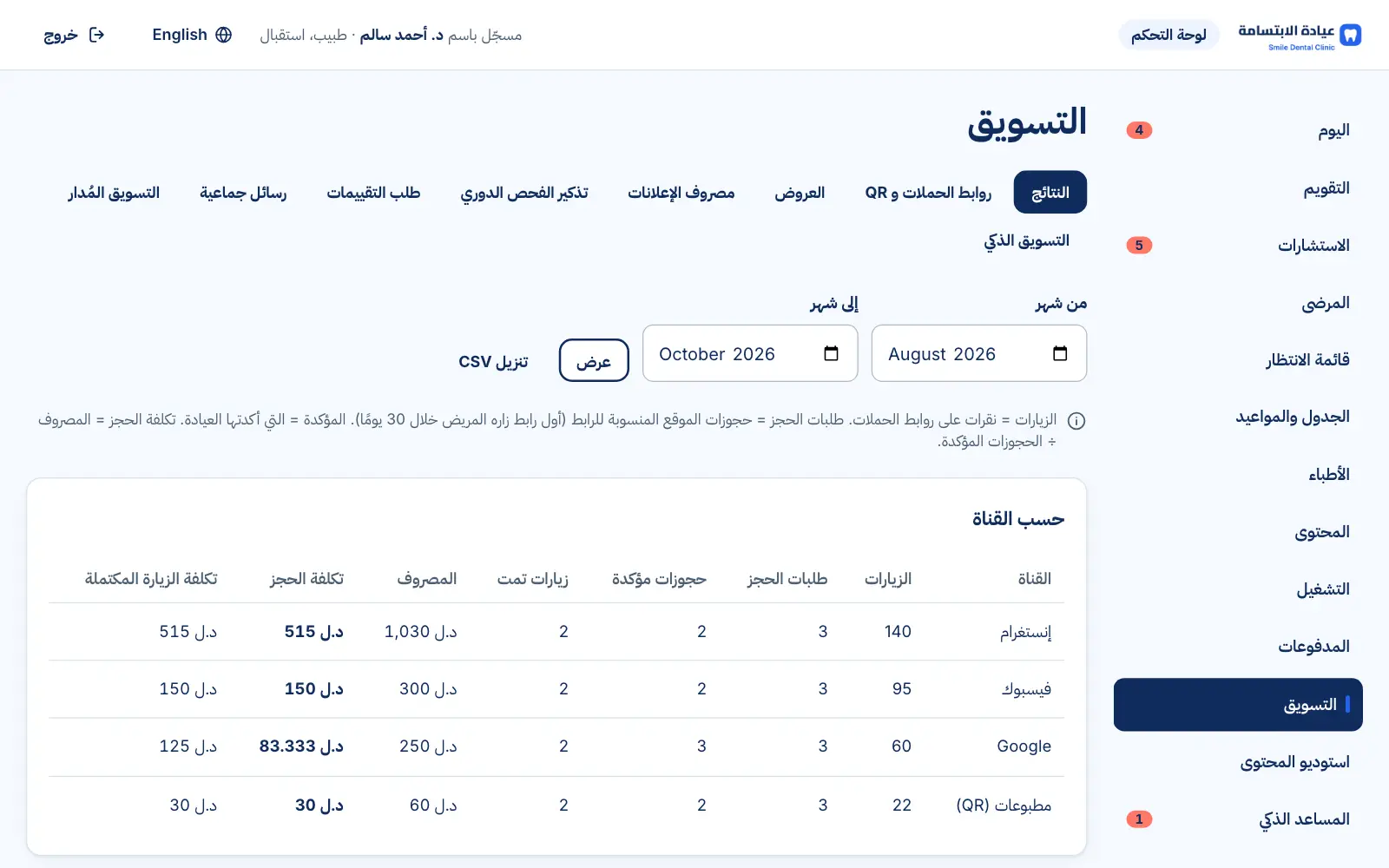
Real interface, sample data
How it works
- 1
Define the offer, its terms and daily places
- 2
Approve the terms and switch it on
- 3
It appears on the site and booking form
- 4
It stops automatically on its end date
FAQs
Can I run several offers?
On Premium, yes: several offers at once (one per visit type), each with its own page and results. On Basic, one enabled offer at a time; you can prepare the next one in advance.
Can I stop it early?
Yes — switch it off in the dashboard and it disappears immediately.
Want to see this in your practice?
Book a demo and we'll walk you through it step by step.
Book a demo